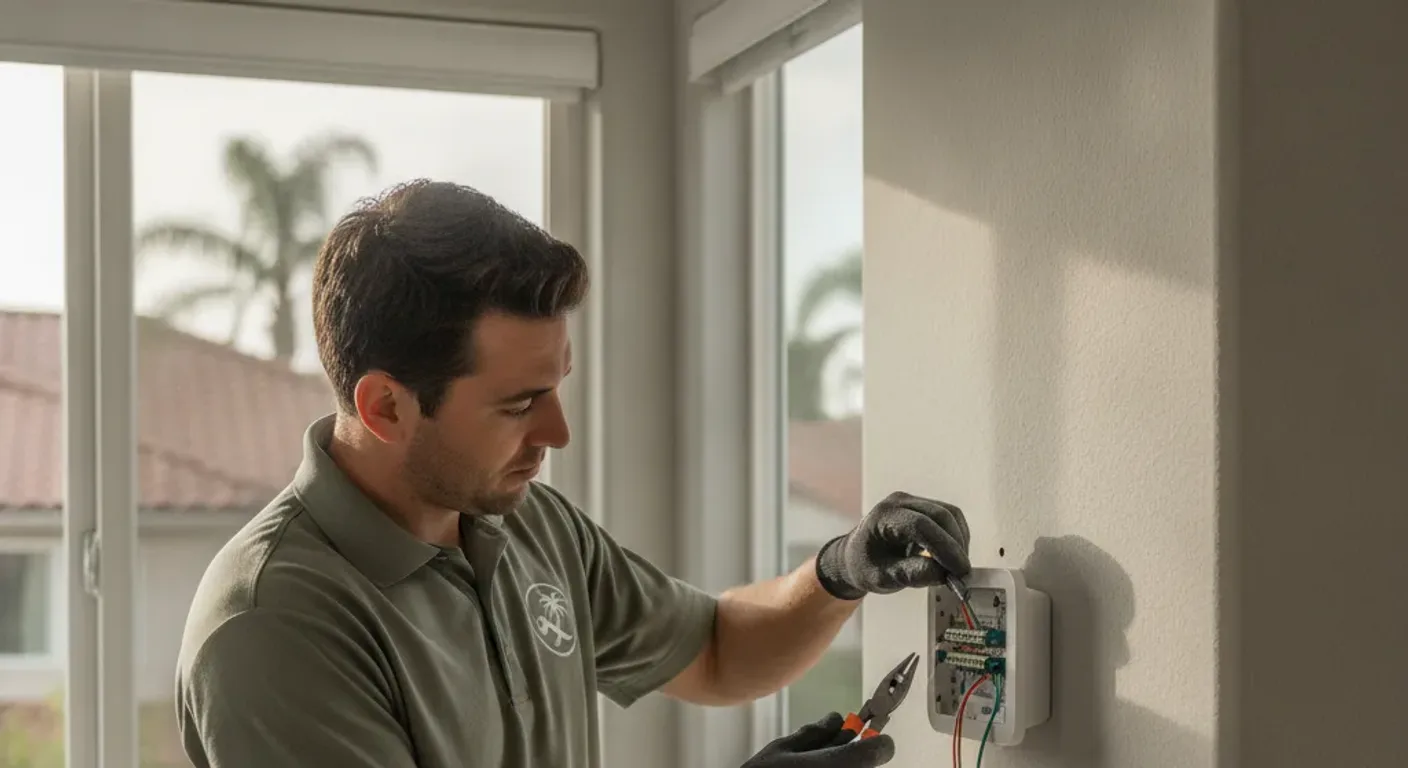
Replacing a standard thermostat in a San Diego home costs $75 to $250 installed for most low-voltage swap jobs. Smart thermostats like Nest, Ecobee, and Honeywell Home T6 Pro sit in the same labor range. The only wildcard is the C-wire, which a lot of 1970s-to-1990s San Diego tract homes are missing.
What a thermostat replacement actually involves
A standard thermostat swap is low-voltage work. The wiring runs at 24 volts, not the 120 or 240 volts you’d find at a light switch or outlet. That’s why it’s squarely in handyman territory for most homes.
The job breaks down like this:
- Take a photo of the existing wiring before touching anything.
- Label each wire with tape so the terminals are clear (R, G, Y, W, C, and sometimes B, O, or E for heat pumps).
- Remove the old unit, transfer the labeled wires to the matching terminals on the new thermostat, and snap it to the backplate.
- Power the system back on and test heating and cooling modes.
The whole thing takes 30 to 60 minutes on a cooperative system. Trickier wiring or a missing C-wire adds time.
Thermostat type, hardware cost, and installed cost
| Thermostat type | Typical hardware cost | Installed cost (labor included) | Who does the work |
|---|---|---|---|
| Basic non-programmable | $20 to $50 | $75 to $150 | Handyman |
| Programmable (7-day) | $40 to $80 | $100 to $175 | Handyman |
| Smart (Nest, Ecobee, Honeywell Home) | $100 to $250 | $175 to $350 | Handyman (if low-voltage, standard wiring) |
| Line-voltage (baseboard heat) | $40 to $150 | $150 to $300+ | Licensed electrician |
| Heat pump with complex wiring | $100 to $250 | $200 to $400+ | HVAC professional |
Hardware costs above are retail estimates. Labor in San Diego typically runs $75 to $125 per hour for a handyman, and most thermostat swaps are a single hour of work.
That last row deserves a flag. A heat pump thermostat with complex wiring isn’t a handyman job, and a mis-wire can damage the control board. For those, an HVAC pro like Climate Pros SD sets it up right the first time.
The C-wire problem in older San Diego homes
This is the question that trips up most smart thermostat installs in the county.
Smart thermostats need a constant 24-volt power supply, which comes through the C-wire (common wire). Older homes wired during the 1970s, 1980s, and early 1990s often only have four wires run to the thermostat: R (power), G (fan), Y (cooling), and W (heat). The C-wire was skipped because simple thermostats didn’t need it.
You have three options when C is missing:
Option 1: Use a C-wire adapter. Nest and Honeywell both make adapters that install at the air handler and create a virtual C signal using existing wires. Ecobee ships a “Power Extender Kit” that does the same. These adapters work reliably in most systems and add $15 to $30 in hardware.
Option 2: Pull an existing unused wire. Many HVAC installers ran a 5-wire bundle even if they only connected four. Open the thermostat base and look. A spare wire coiled up or taped back is all you need. Connect it at both the thermostat and the air handler, label it C, and you’re set.
Option 3: Run a new wire. If the bundle truly only has four wires with no spare, a handyman can fish a new thermostat wire from the air handler to the thermostat location. Cost depends on the run distance and wall material, but most San Diego homes land between $75 and $200 for this additional work.
Checking for a spare wire takes five minutes. It’s always the first thing to do before ordering an adapter or scheduling a wire run.
Smart thermostat setup: Nest, Ecobee, and Honeywell Home
The physical swap is the same regardless of brand. Where they differ is in the app setup and configuration that follows.
Nest (Google Home): Walks you through wiring via the Nest app before you ever touch the old thermostat. The app asks which wires you have and generates a custom wiring diagram. Setup is guided and forgiving.
Ecobee: Ships with the Power Extender Kit, which reduces C-wire anxiety. The app setup is straightforward. Ecobee also supports room sensors, which is worth thinking about in a larger San Diego home where the thermostat is in a hallway and the living room runs warmer.
Honeywell Home (T6 Pro, T9, T10): Strong compatibility with older systems and simpler setup flow. A good pick for homes with older HVAC equipment where a more basic smart thermostat is a better fit than a learning model.
A handyman can handle the physical swap and the initial wiring. Connecting the thermostat to your Wi-Fi, configuring schedules, and integrating with Google Home, Alexa, or Apple HomeKit is typically something the homeowner does after the install is done, since it requires your network credentials and app accounts.
When you need an HVAC professional, not a handyman
Most San Diego homes use a standard forced-air system with a gas furnace or split-system air conditioner. That’s straightforward low-voltage territory.
A few situations call for an HVAC professional instead:
Line-voltage systems. Electric baseboard heaters, in-wall heaters, and some older radiant systems run at 120 or 240 volts. The thermostats for these systems are line-voltage devices, not low-voltage. This is electrical work that requires a licensed electrician or HVAC tech, not a handyman swap.
Heat pumps with non-standard wiring. Heat pumps often use an O/B wire (reversing valve) and sometimes an E wire (emergency heat). A like-for-like replacement on a heat pump is still manageable, but if the wiring doesn’t match the new thermostat’s terminals or if the system behavior changes after the swap, you need an HVAC professional to trace the issue.
System faults masked by a failing thermostat. A new thermostat won’t fix a refrigerant leak, a bad capacitor, or a failing blower motor. If your system is running but not cooling or heating efficiently, get an HVAC diagnostic before assuming the thermostat is the problem. Swapping the thermostat and still having the same issue means the diagnosis was wrong.
Zoned systems. Multi-zone systems with a zone controller board are more involved. The zone board and thermostat wiring interact in ways that need the right configuration. A handyman can do a straight replacement on one zone if the wiring is identical, but any troubleshooting of zone behavior is HVAC scope.
For standard single-zone forced-air systems, which covers the majority of San Diego County housing stock built between 1960 and 2010, a thermostat swap is a clean handyman job. When in doubt, describing your system to the handyman before booking lets them confirm the scope.
Frequently asked questions
How much does thermostat installation cost in San Diego?
Most thermostat replacements in San Diego cost between $75 and $350 total, including labor. A basic replacement on existing wiring lands at the lower end. A smart thermostat install that requires a C-wire adapter or a short wire run lands in the middle. The hardware cost of the thermostat itself is on top of labor unless the handyman supplies it.
Can a handyman install a Nest or Ecobee in San Diego?
Yes, for most homes. Nest, Ecobee, and Honeywell Home smart thermostats are low-voltage devices that connect to existing HVAC wiring. A handyman handles the physical swap and wiring. You handle the Wi-Fi and app setup after. The exception is line-voltage systems (baseboard heat), which require a licensed electrician.
What is a C-wire and do I need one?
The C-wire (common wire) gives smart thermostats a continuous 24-volt power supply. Basic thermostats don’t need it. Smart thermostats almost always do. Many San Diego homes built before the late 1990s were wired without one. Solutions include a C-wire adapter kit ($15 to $30), using a spare wire already in the bundle, or running new thermostat wire.
How long does thermostat replacement take?
A straightforward swap with no C-wire issues takes 30 to 45 minutes. If a C-wire adapter is needed, add another 15 to 20 minutes. Fishing a new wire through the wall adds one to two hours depending on the run and wall material.
Should I replace my thermostat before calling an HVAC tech?
Only if the thermostat is clearly the problem: blank display, unresponsive buttons, or a blank screen after checking batteries and breakers. If your system runs but doesn’t cool or heat properly, get an HVAC diagnostic first. A new thermostat won’t fix a refrigerant or mechanical issue and you’ll have spent money without solving anything.
What thermostat works with older San Diego homes?
The Honeywell Home T6 Pro is a solid fit for older forced-air systems. It’s compatible with most standard wiring, doesn’t require a C-wire in battery mode, and avoids the learning-algorithm complexity of Nest for homeowners who want a simple programmable schedule. Ecobee with the Power Extender Kit is another strong option if the C-wire is missing.
Ready to swap your thermostat?
A thermostat replacement is one of the faster home improvement jobs there is, and upgrading to a smart model can trim your HVAC runtime once schedules are configured. If you’re not sure whether your system is low-voltage, if the C-wire situation feels unclear, or if you just want it done right the first time, the pros Fix Pro San Diego sends handle thermostat swaps across the county.
Check our home maintenance checklist for San Diego for other seasonal tasks that pair well with a thermostat upgrade. For related electrical fixture work, see our light fixture installation and general repairs service pages.
Call us at (858) 400-4611 and we’ll match you with a pro who can quote the job.
Would you rather hand this one to a pro than do it yourself? Call (858) 400-4611.
Request a quote